
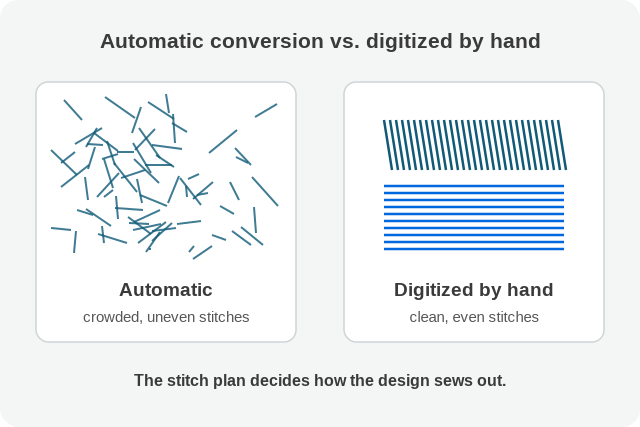
An automatic converter
Turns colored pixels into stitches without knowing your size, fabric or garment. Small text fills in, edges pucker, stitches pile up, and the thread can break on the machine.
Embroidery digitizing, vector artwork, patches & stickers
JPG, PNG or PDF to an embroidery file
Send the logo or picture you have, as a JPG, PNG, PDF or vector file. We digitize it by hand into a stitch file your machine reads: DST by default, or the format you need.
Digital embroidery file
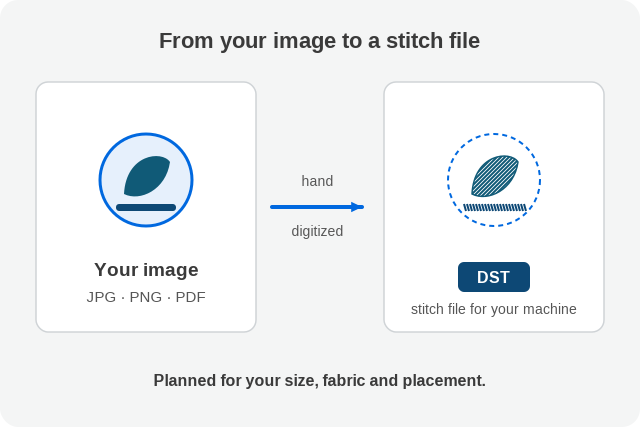
Your image is a picture made of pixels. A machine needs a stitch file: a plan of where every stitch goes. Making that plan is called digitizing.
Turns colored pixels into stitches without knowing your size, fabric or garment. Small text fills in, edges pucker, stitches pile up, and the thread can break on the machine.
Plans every part of the design for the size you will sew: stitch direction, density, underlay, pull compensation and the order the colors run, so it sews out clean on your fabric.
01 · SEND
Your logo or picture, the finished width or height in inches, the garment or fabric and where it goes (left chest, cap front, jacket back).
02 · QUOTE
Your quote shows the price and the exact delivery time before we start.
03 · PREVIEW
You get a stitch preview of the design to check size, text and colors before the file is delivered.
04 · FILE
You get the stitch file in the format your machine reads, with free minor revisions.
JPG, PNG, GIF, WEBP, HEIC, PDF, AI, EPS, SVG, CDR, PSD or a ZIP (up to 15 MB). Send the biggest, clearest copy you have; a vector file is best, a sharp JPG or PNG works well.
Your file comes in the format your machine reads: DST (the default), CND, CSD, DSB, DSZ, EMB, EMT, EXP, HUS, JEF, KSM, PCD, PCQ, PCS, PEC, PES, SEW, T01, T03, T04, T05, T09, TAP and XXX. Not sure which one you need? Tell us your machine model or the format of a file it already sews, and we deliver that.
More about embroidery file formats ↗Already have an embroidery file and only need it in another format? Send it through the quote form and say which format you need; your quote shows the price.
One price per design, by size and detail: $15 small or left-chest, $18 standard logo, $20 cap or 3D puff, $35 jacket back, $100 photo or complex. Your quote shows the price before we start.
Most logos are ready the next business day; your quote shows the exact time.
Yes. Send the JPG through the quote form with the finished size. We digitize it by hand and deliver a DST file, or any other format your machine reads.
No. Each design is digitized by a person, who plans the stitch direction, density and underlay for your size and fabric. That is what makes it sew out clean.
One price per design: $15 small or left-chest, $18 standard logo, $20 cap or 3D puff, $35 jacket back, $100 photo or complex. Your quote shows the price before we start.
Most logos are ready the next business day; your quote shows the exact time.
DST (the default), CND, CSD, DSB, DSZ, EMB, EMT, EXP, HUS, JEF, KSM, PCD, PCQ, PCS, PEC, PES, SEW, T01, T03, T04, T05, T09, TAP and XXX.
Small changes are usually fine. A big change in size needs the design planned again for the new size; tell us both sizes when you order.
This page is about the digital stitch file only. For finished patches, see custom patches.
LET’S MAKE SOMETHING
Choose a service and tell us what you have in mind.