
Home › Design Doctor › How to use it
How to use Design Doctor: check your artwork before you order
Design Doctor is a free check on digitemb.com. You upload a logo or design, say how big it will be and where it goes, and in under a minute you get a readiness score, the lines that are too thin to stitch, and a preview of your design as embroidery, as a patch, as vector art and as a sticker. This page shows the five steps.
Open Design Doctor Questions and answers
Two-minute video: the five steps on a real logo, from upload to the result page.
1Open the page
Go to digitemb.com/design-doctor on your phone or computer and press Start your artwork check. You do not need an account.
Customers who are signed in to the DigitEMB panel can also open it from the Design Doctor card on the panel home page. Your checks are then saved to your account.
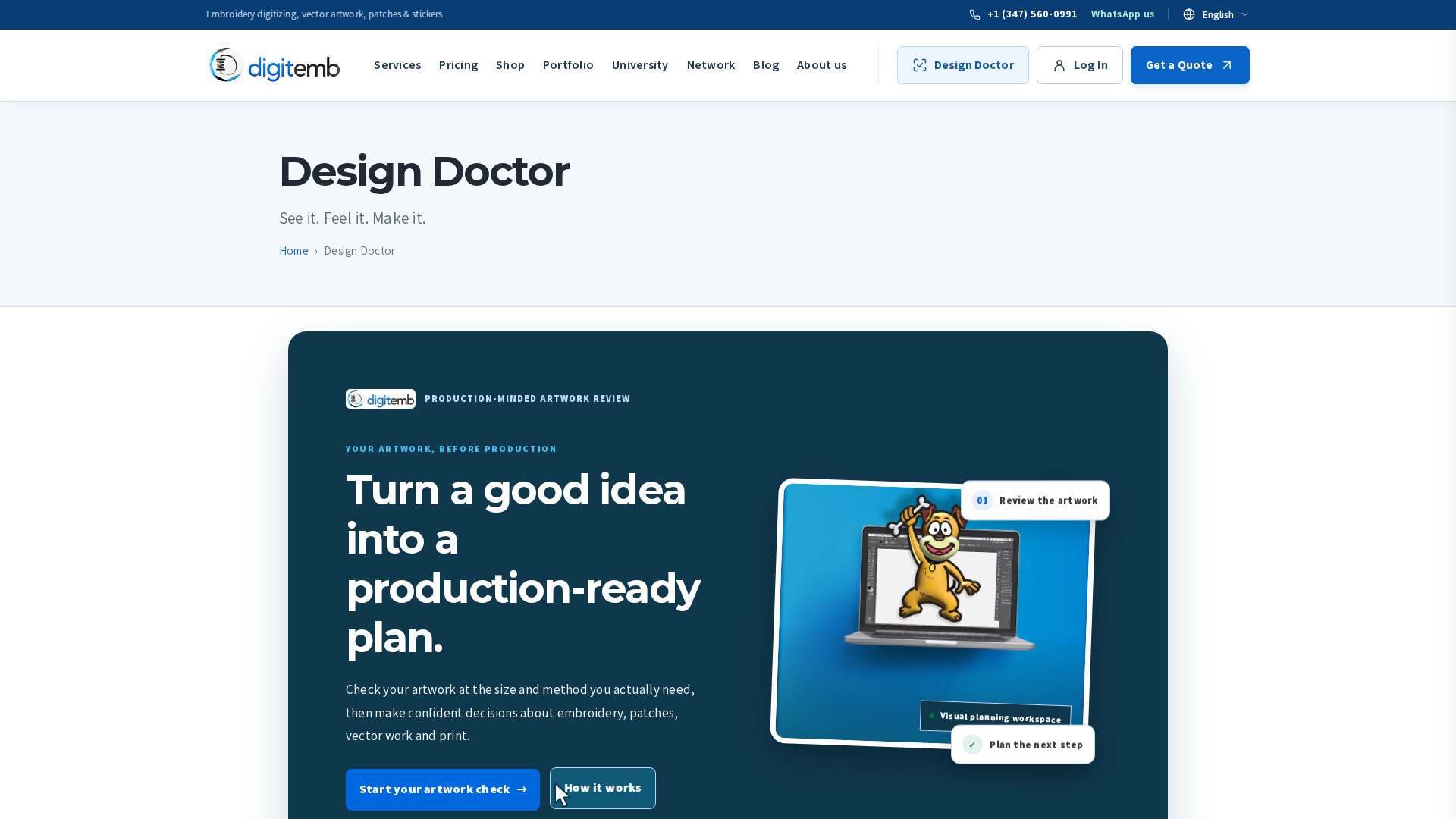
2Drop in your artwork
Drag your file into the box, or tap it to choose one. It takes JPG, PNG, WEBP, HEIC, SVG and PDF files up to 15 MB. Use the best version you have: the original logo file beats a photo of a shirt.
The first look runs inside your browser. Nothing is uploaded until you press Begin the examination.
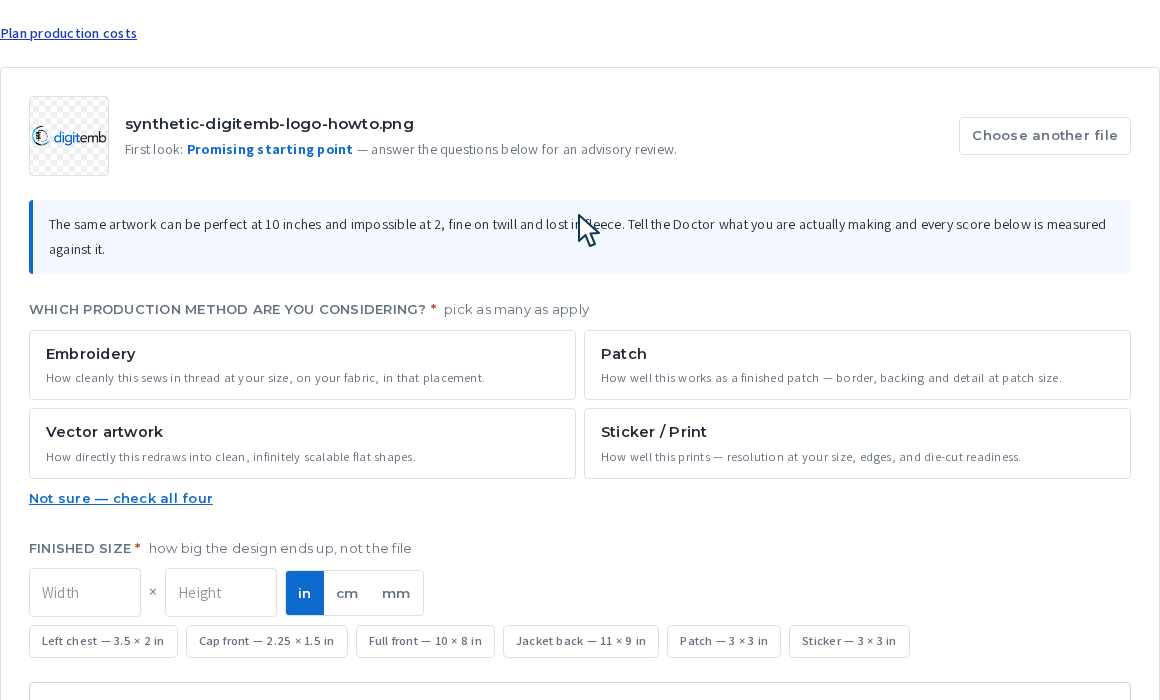
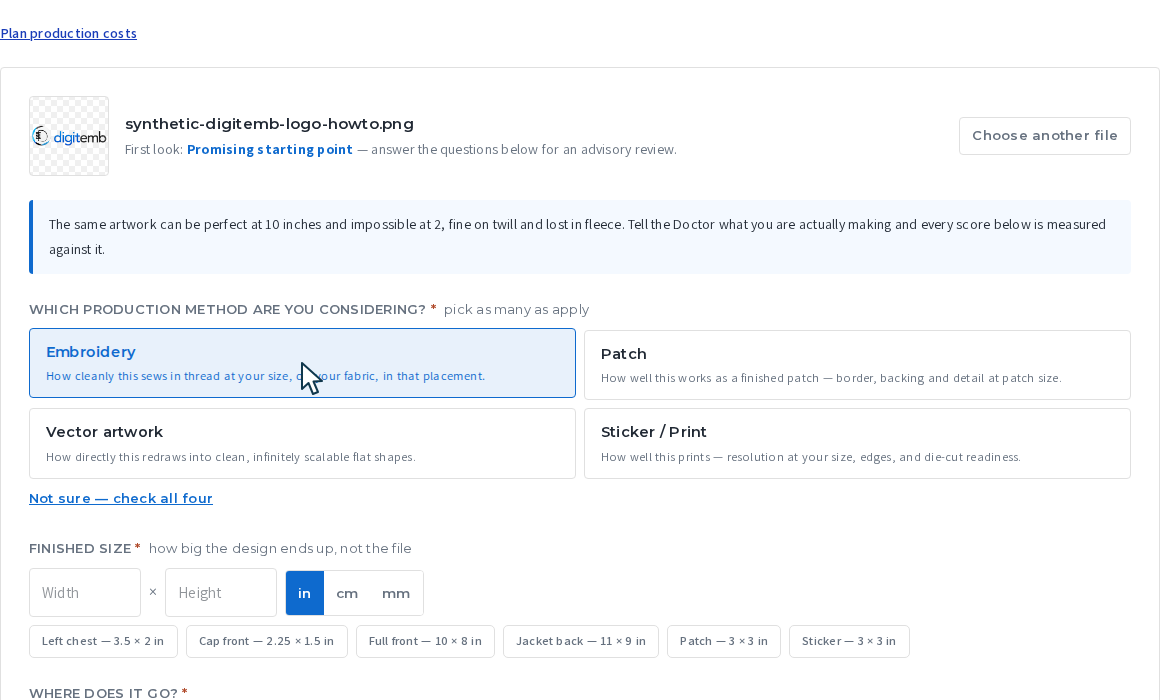
3Say what you are making
Pick one or more: Embroidery, Patch, Vector artwork or Sticker / Print. Not sure? Press Not sure, check all four.
Each choice gets its own score, because thread, a patch border, a vector line and ink each have different limits.
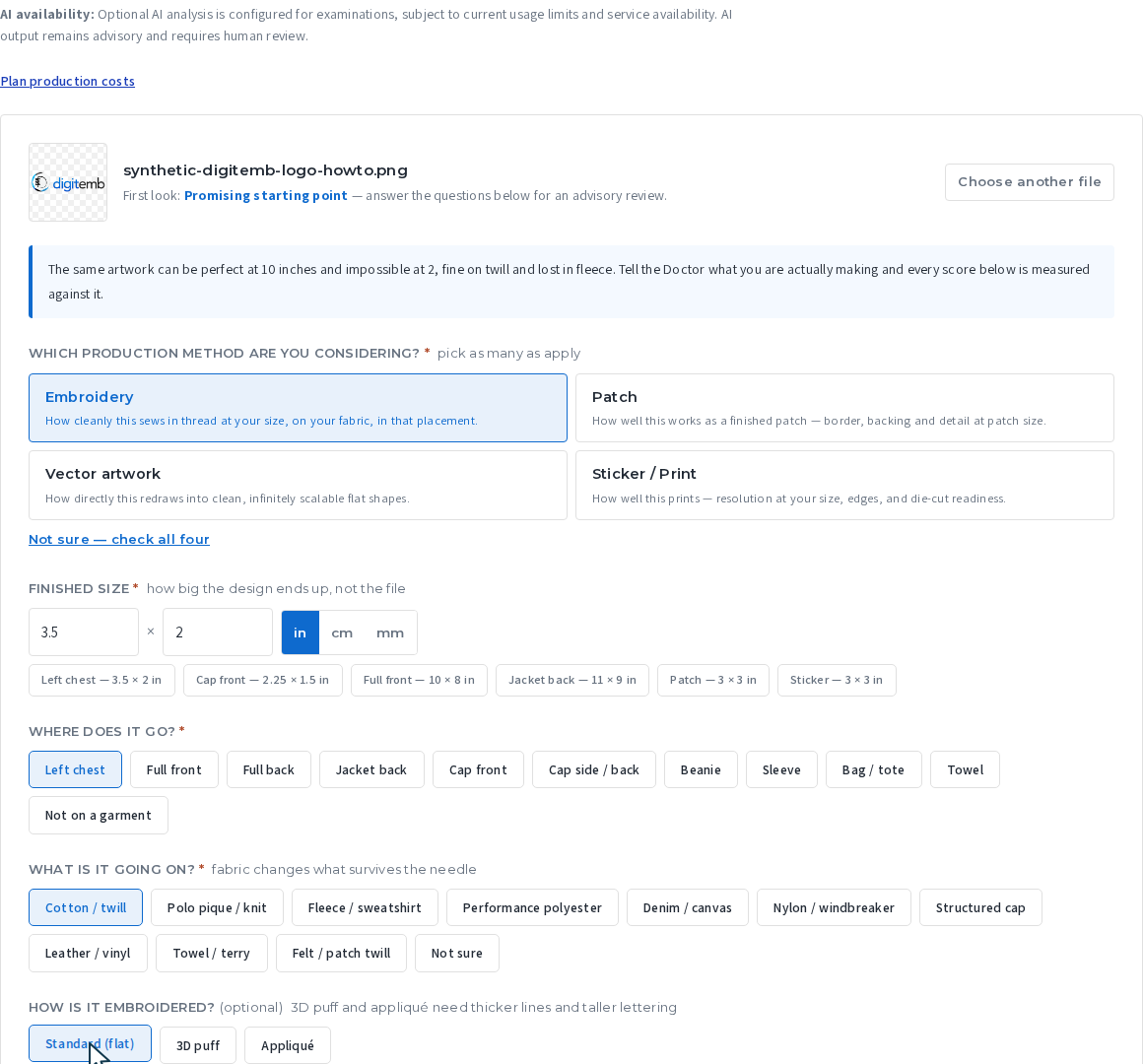
4Size, placement and fabric
Enter the finished size: how big the design ends up, not the file size. The presets help: a left chest logo is 3.5 by 2 inches, a cap front 2.25 by 1.5 inches.
For embroidery, also say where it goes (left chest, cap front, jacket back...), what fabric it sews on, and whether it is flat, 3D puff or applique. The same artwork can be perfect at 10 inches and impossible at 2 inches on fleece, so this is where the score is decided.
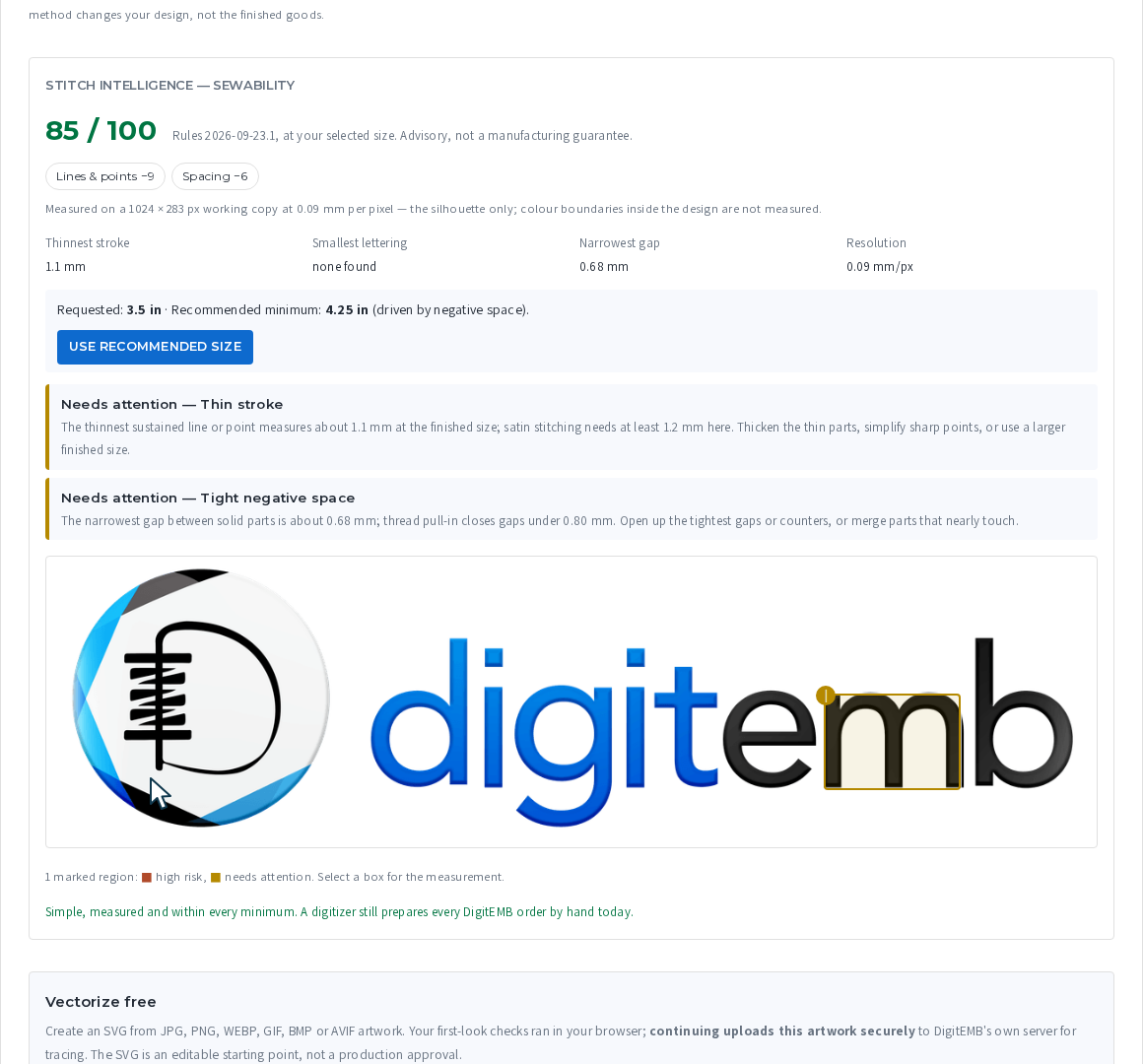
Below the questions you already get an instant stitch check: the thinnest line, the smallest lettering and the tightest gap, measured at your size.
5Begin the examination
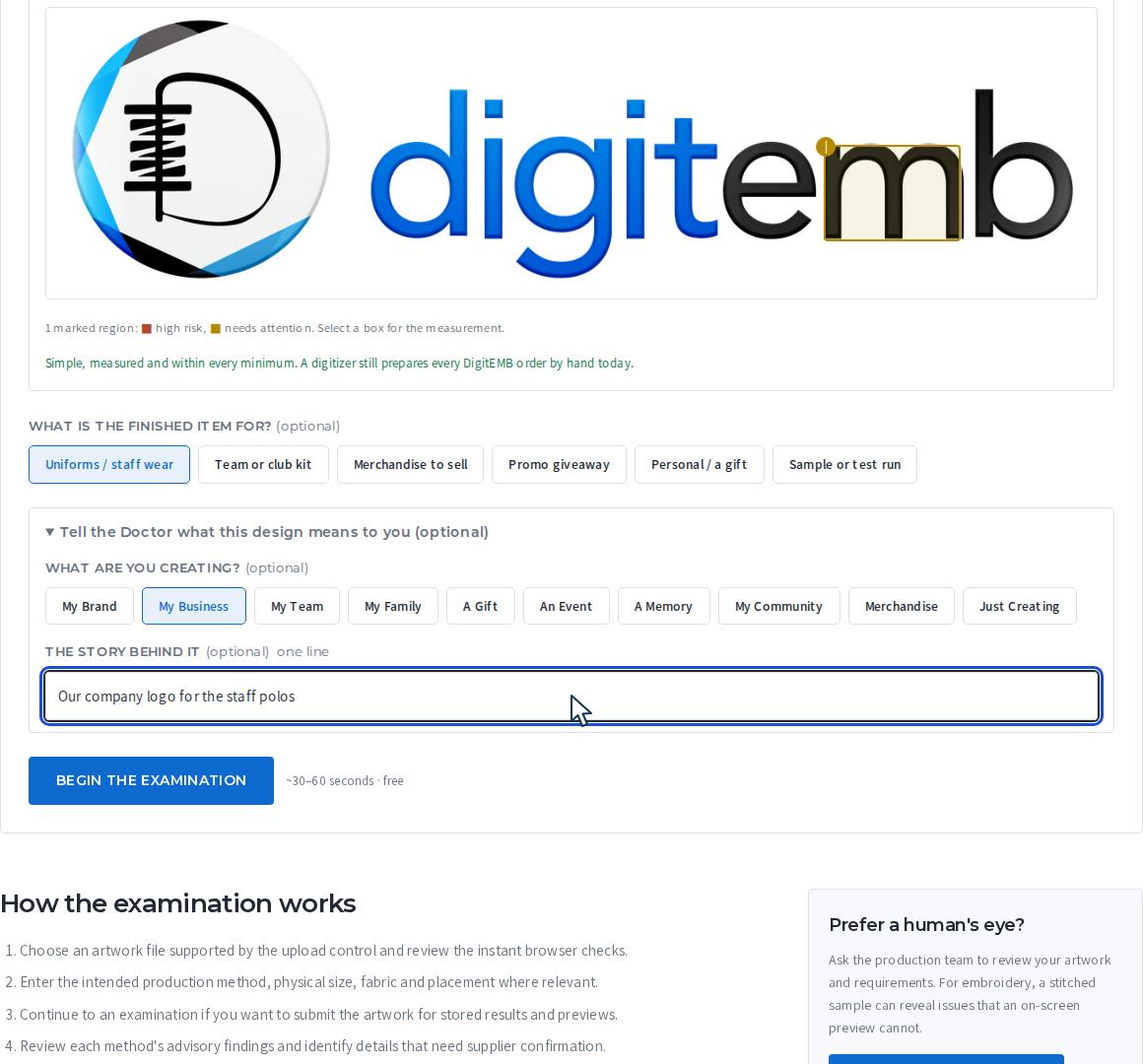
Optionally say what the item is for and what the design means to you. Then press Begin the examination. It takes under a minute, and it is free.
Read your result
Readiness score
A score out of 100 for the method you chose, with a one-line verdict. 80 and above means a clean start. Review recommended means something needs a decision before production.
The diagnosis
Plain-word findings: blended colours, fine detail, thin strokes, tight gaps. Each one says what to change.
One score per method
Embroidery, patch, vector and sticker are scored separately. Press Why? under each to see the reasons.
Previews
Your design shown as thread, as a finished patch, as clean vector shapes and as a die-cut sticker. These are planning pictures, not a physical proof.
Needs attention
The exact lines that fall under the stitch minimum, with the size they need. Use Use recommended size to see the size that would work.
Next steps
Get a free vector file, or ask for a patch or sticker quote. Your examination travels with the quote, so you do not have to explain it again.
Press Download full report to save a picture of your result, Copy link for a link you can send to a colleague (anyone with the link can open the result; your file name, story and contact details are never on it), or Save my design (sign in) to keep it in your DigitEMB account.
Questions and answers
Is it really free?
Yes. There is nothing to pay and no account is needed. Guests can run a few checks a day; signed-in customers get more.
Is my file private?
The first look runs in your browser. When you press Begin the examination, the file is sent to our server so the result and previews can be made, and an AI service reads the picture to describe it. Your result is private unless you press Copy link or a share button yourself; a shared link shows the scores and previews only, never your file name, story or contact details.
Does a high score mean my design is approved for production?
No. The score and previews are advice at the size you entered. Our team still checks the real file, the garment and a sew-out before anything is made. If you want a person to look now, press Request a human review.
What file should I upload?
The original logo file if you have it (SVG, PDF, AI exported to PDF, or a large PNG). A photo of a printed shirt or a tiny web logo will score lower because the detail is not there.
Why does the size matter so much?
Thread has a minimum width, and small lettering closes up. A line that is fine at 10 inches can be thinner than a single stitch at 2 inches. Design Doctor measures everything at the size you enter.
Can I check a patch or a sticker, not embroidery?
Yes. Choose Patch or Sticker / Print in step 3, or Not sure to check all four at once.
I ran a check. How do I order?
On the result page, press the next step you want: a vector file, a patch quote or a sticker quote. Or go to Get a quote; your examination is attached when you come from the result page.
Try it with your own design
Free, under a minute, and your file stays private unless you share it.
Related: All free tools · Embroidery digitizing · Vector conversion · Pricing