
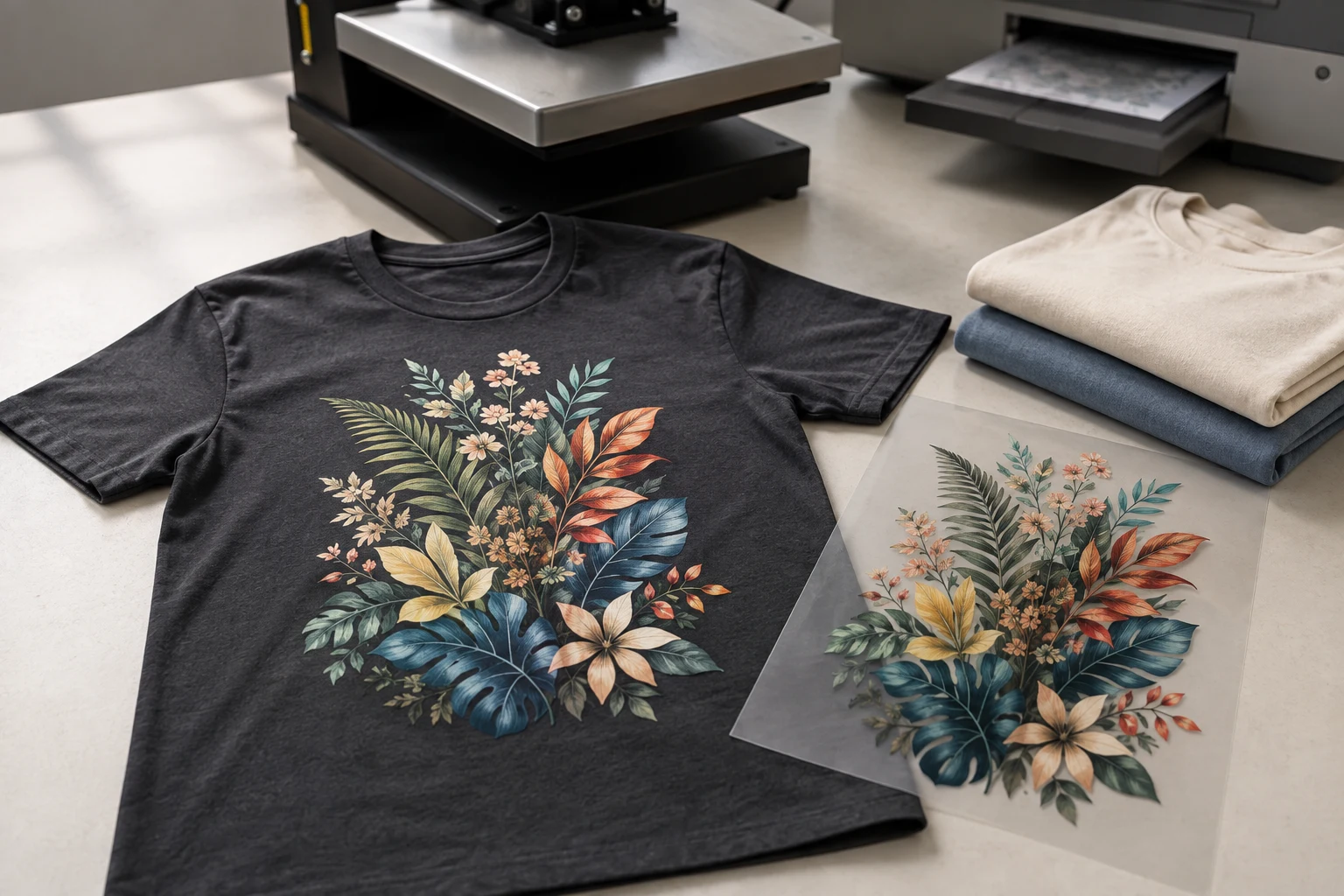
Cover image: AI-generated editorial concept; not a customer project or production proof.
DTF stands for direct-to-film printing. It is a garment decoration method in which a design is printed onto transfer film, coated with heat-activated adhesive powder, cured and heat-pressed onto fabric. The carrier film is removed, leaving the printed design attached to the garment. Roland DG explains the DTF workflow.
DTF can suit detailed, multicolor artwork on T-shirts, sweatshirts and other compatible textiles. Choosing it involves more than checking how bright a sample looks: fabric compatibility, print feel, application quality and order requirements all matter.
This guide covers textile DTF. UV DTF for hard goods uses UV inks and a different transfer system; its application instructions should not be substituted for garment DTF.
Cover image: AI-generated editorial illustration of a printed T-shirt, transfer film and equipment. It is a concept image, not a customer project or a photograph of DigitEMB facilities.
How does DTF printing work?
1. Prepare the artwork and print onto film
The printer’s software prepares the design for film output, including a white base layer. A compatible DTF printer prints the reversed image using color and white inks. After transfer, the white layer sits behind the colors, helping them remain visible on dark garments. Roland’s DTF explanation shows the role of white ink.
2. Apply and cure the adhesive powder
Adhesive powder is applied while the ink is wet. Excess powder is removed, and controlled heating melts and cures the adhesive. Small systems may involve manual handling; larger systems can integrate powder application and curing equipment. Roland DG’s process description covers these production stages.
3. Position and heat-press the transfer
The garment is prepared according to the transfer supplier’s instructions, including pre-pressing if specified. The transfer is positioned with its printed side against the fabric, then pressed using the required temperature, time and pressure.
There is no universal DTF press setting. Film, adhesive, fabric and equipment affect the required conditions. For example, STAHLS’ UltraColor MAX application instructions specify 290°F / 145°C for 12–15 seconds at medium pressure. Those settings apply to that product, not every DTF transfer.
4. Peel and finish
Remove the carrier at the temperature specified for the film. Some products require cooling; others allow hot peeling. Complete any specified final press using the recommended protective sheet. Epson’s DTF Film Printing Guide explains why transfer conditions and peeling requirements vary.
Making transfers requires compatible printing equipment, inks, film, adhesive and curing equipment, plus a heat press. Buying prepared transfers lets a decorator handle only the application stage. Follow the consumables’ handling instructions; Epson also advises keeping loose powder away from the printer.
Which fabrics work with DTF?
Cotton, polyester and cotton/polyester blends are common candidates. Some systems also support nylon and rayon, but compatibility belongs to the specific transfer system and garment—not simply the name of the fiber. Roland’s adhesive product information lists supported fabrics for its system.
Before ordering, identify the exact garment style, fiber composition, color and print location. Ask the decorator to confirm suitability, particularly for coated outerwear, stretchy clothing or heat-sensitive fabrics. A sample on the actual blank is more useful than a sample on an unrelated T-shirt.
DTF normally does not require the liquid garment pretreatment used in many DTG workflows. That does not eliminate the need to prepare and press the garment correctly. Epson’s DTG and DTFilm overview distinguishes these requirements.
DTF printing pros and cons
Advantages
Detailed, multicolor graphics: DTF can reproduce gradients and fine detail without making a separate stencil for every color.
Small-order flexibility: It can serve individual designs and short runs, although suppliers set their own minimum orders.
Light and dark garment options: Compatible transfer systems support both, extending the choice of blanks.
Separate printing and application: Prepared transfers can be applied immediately or stored for later use under the supplier’s recommended conditions.
These capabilities are described in STAHLS’ DTF FAQ, Roland’s DTF technology overview and Epson’s DTFilm overview.
Limitations
Print feel matters: A transfer adds a perceptible printed area. Epson describes DTG as softer and more breathable; compare physical samples if comfort is a priority.
Application is a production step: Incorrect material settings or uneven adhesive coverage can compromise results.
In-house production requires more than a printer: Powder handling, curing, suitable workspace and equipment care add responsibilities.
There is no automatic cost advantage: Compare quotes for the same garment, design size, quantity and number of print locations.
The first three considerations follow from Epson’s technology comparison and DTF production guide. For buyers, a finished sample and a complete quote provide a practical basis for choosing.
DTF vs. DTG, sublimation and screen printing
Each method has different strengths. Minimum orders and prices are supplier policies, so they should not be treated as fixed technical properties.
Method | Main difference and buying consideration |
|---|---|
DTF | Prints onto film before heat transfer. Consider it for multicolor designs across compatible light and dark garments; assess the finished print’s feel. |
DTG | Prints directly onto the garment. It is worth comparing for soft-feeling cotton apparel; pretreatment and fabric support depend on the printer and ink system. |
Sublimation | Transfers dye into suitable polyester fabric. It works best on white or light-colored blanks and does not add a raised transfer layer. |
Screen printing | Pushes ink through prepared mesh screens. Separate color screens add setup work; request a comparison quote for repeated designs and larger quantities. |
Epson explains DTG and DTFilm. Its sublimation guidance confirms the polyester and light-color requirements, while its digital-printing primer explains sublimation’s unchanged fabric feel. ScreenPrinting.com’s production guide describes separate screens and color registration.
Screen printing can also reproduce fine detail and halftones; it is not restricted to simple graphics. Likewise, DTF does not require a separate screen for each color and is not inherently unsuitable for one-off orders.
What to send when requesting a DTF quote
For buyers in the US, Canada and UK, make the specifications easy to compare:
State whether you need finished garments or transfers to apply yourself.
Give the quantity, garment style, fabric composition and color.
Specify each print location and its dimensions in inches or centimeters.
Supply the best available artwork and request a proof at the intended print size.
Ask for accepted file formats, resolution, background and color requirements before exporting.
Confirm the quote currency, shipping destination, required arrival date and what charges are included.
Transparent PNG is commonly used for DTF, but follow the chosen printer’s requirements. Vector artwork can help when a logo needs rebuilding or resizing; it is not mandatory for every DTF image. Epson’s file guidance identifies transparent PNG as a typical format.
If your logo needs redrawing, explore DigitEMB’s vector art conversion services. Provide the transfer printer’s artwork specifications with the request so the final export matches the intended use.
Durability and garment care
Avoid treating a fixed wash count as a promise for all DTF prints. Ask how the specific transfer has been tested and request care instructions for the finished garment.
Follow both the garment label and the transfer supplier’s guidance, including the waiting period before the first wash. For example, STAHLS’ UK instructions recommend waiting 24–48 hours for its UltraColour Max product, washing cold, and using low tumble heat or hanging to dry. Those are product-specific instructions.
For a repeat order, inspect a sample before and after washing as directed. Check the edges, detail, color and feel before approving the full quantity.
Frequently asked questions
Is DTF the same as heat-transfer printing?
DTF is one type of heat-transfer printing. Its defining steps are printing onto film and using adhesive to attach that print to fabric. Other transfer methods use different materials and processes.
Can DTF work on black shirts?
Yes, on compatible garments. The white ink layer supports the color image on dark fabric. Confirm compatibility with the exact blank before ordering.
Do I need a DTF printer to use transfers?
No. You can order prepared transfers and apply them with a suitable heat press using the supplier’s instructions. Printing and curing the transfers yourself requires additional equipment.
Is DTF better than screen printing?
It depends on the job. DTF is useful for multicolor short runs, while screen printing deserves a comparison quote for repeated designs. Choose using the actual garment, print sample, quantity and complete order cost.
Practical details for What Is DTF Printing? Process, Pros, Cons and Method Comparisons
Vector artwork is built from editable paths rather than a fixed grid of pixels. The clearest result starts with a specific intended use, because a file prepared for print, cutting and embroidery may need different checks.
Work through these points in order and keep the answers with the artwork or production request. A short written brief makes it easier to compare a proof with the intended result, ask a useful follow-up question and avoid relying on assumptions made from a screen image alone.
The aim is not to add unnecessary steps. It is to identify the choices that change the final result before work begins. If a requirement is unknown, flag it for confirmation rather than guessing; that keeps the approval process focused on the design, material and use that apply to this particular project. Save the approved brief with the project files for future reorders or revisions.
Start with the best source
Provide the largest, clearest original you have and include any brand colours, fonts or reference files. A small or blurry image can still be traced, but missing edges and lettering need careful confirmation.
Define the final use
Say whether the artwork is for print, cutting, screen printing, embroidery reference or a digital asset. This tells the artist which details, colour separations and file formats matter most.
Review paths, text and colour
Before using the finished file, check that lettering is correct, shapes are closed where required and colours match the approved artwork. Keep a master editable file as well as the delivery format used by production.
Quick questions to check before you proceed
Is a vector file the same as an embroidery file?
No. A vector is editable artwork; an embroidery file contains stitch instructions. Vector art can be useful source material for digitizing, but it still needs to be digitized for machine embroidery.
Can a blurry logo be converted?
Often, yes, but the result depends on what can be verified. Supply a clearer reference, font name or brand guide whenever possible.
Which details need approval?
Check spelling, line weight, enclosed spaces, colour choices and the shape of any logo elements before the file goes to print or production.