
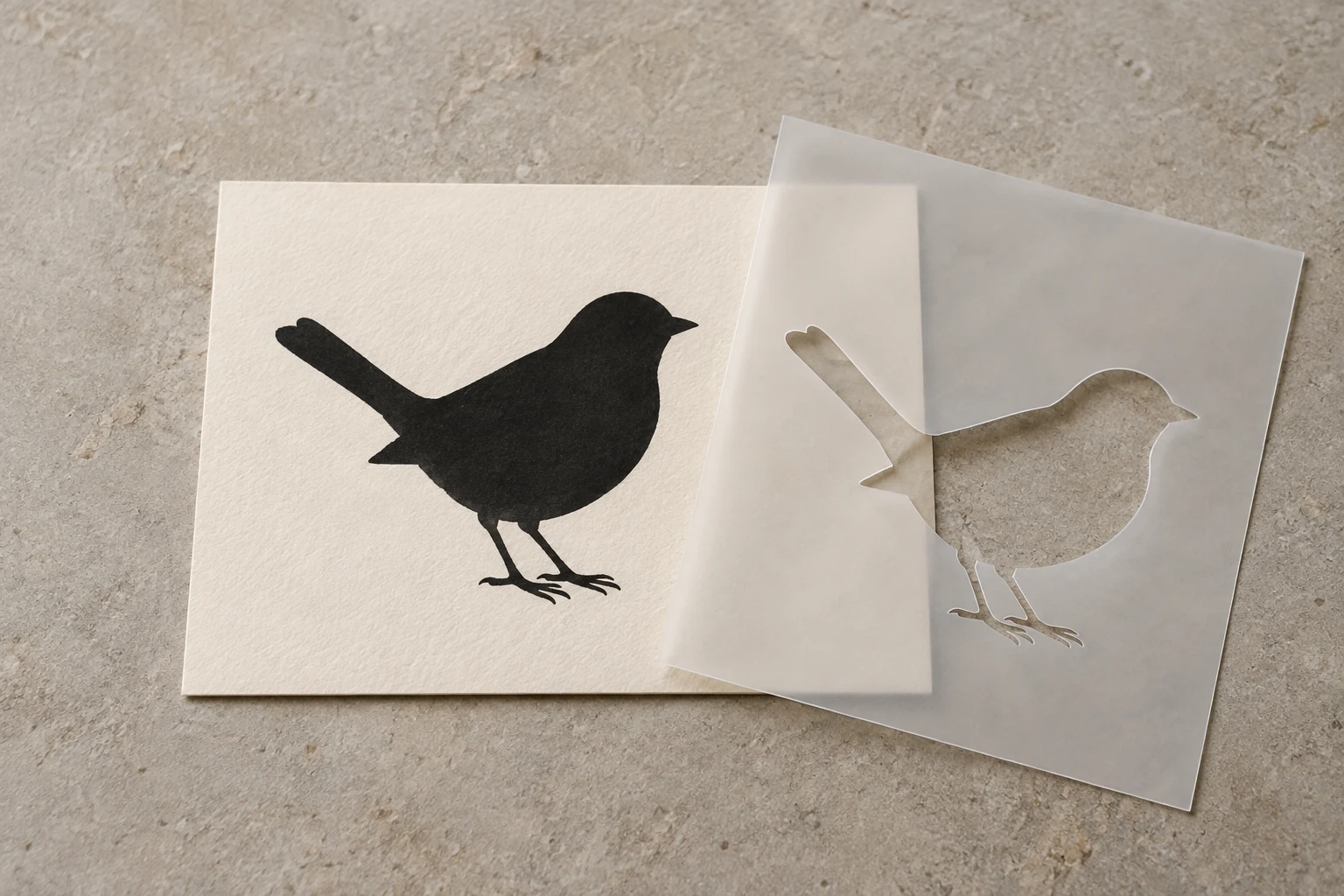
Cover image: AI-generated editorial concept; not a customer project or production proof.
Silhouette art communicates through a solid shape and its outline. Stencil art uses openings in a mask to reproduce a design; a reusable cut-sheet stencil needs connections wherever enclosed pieces would otherwise fall out. Both depend on clear shapes and deliberate negative space, but they have different production requirements.
One color can give a logo, icon or apparel graphic a strong visual identity. Without shading to explain the subject, the outline has to do more of the work.
Silhouette art: make the outline recognizable
A silhouette reduces a subject to its essential shape. A profile, animal or familiar object should remain recognizable without internal texture, gradients or several colors separating its parts.
Start by identifying the features that carry recognition: a distinctive ear, the angle of a face or the space between an arm and the body. Preserve those features while simplifying details that add clutter.
Useful design checks include:
View the artwork at its smallest intended size.
Check whether neighboring shapes merge into an unintended blob.
Review the empty spaces as carefully as the filled areas.
Preview both dark artwork on a light background and light artwork on a dark background.
Black is a convenient proofing color, but a silhouette can use another single color. The contrast with the finished surface matters more than choosing black specifically.
Stencil art: account for what stays in the sheet
A stencil is a physical mask. Its openings admit paint, while the remaining material protects the surface underneath. In a reusable sheet stencil, an enclosed area such as the center of an O needs an uncut connector to keep it attached.
That enclosed piece is an island; the connector is a bridge. Bridges also leave interruptions in the painted design, so their placement affects the finished appearance. Stencil manufacturer Stencil Stop explains bridges and islands.
Ask the stencil maker to review bridge placement and strength for the chosen material and finished size. Avoid treating a bridge width from one project as a universal requirement. Review the intended painted result alongside the cutting layout so the practical changes remain visually acceptable.
Vinyl decals do not always need stencil bridges
A cut vinyl decal uses adhesive to hold its pieces on the final surface. Separate elements can be positioned together using transfer tape, so the artwork does not necessarily need the permanent bridges used in a reusable sheet stencil. Cricut’s transfer tape instructions describe moving a weeded vinyl design from its liner onto the project surface.
Tell the designer whether the file is for an adhesive decal or a reusable paint stencil. Calling both a “cut file” leaves an important question unanswered.
Intended use | Main design consideration |
|---|---|
Printed silhouette or icon | Preserve recognition through the outline and contrast. |
Adhesive vinyl decal | Review separate pieces, small details and the transfer method. |
Reusable sheet stencil | Keep enclosed islands attached and review the visible bridge gaps. |
One-color embroidery | Preserve the shape while adapting it to stitches and fabric. |
Why simple artwork still takes design work
Turning every part of a detailed image the same color can erase the distinctions that made it readable. A dark jacket may merge with an arm; overlapping leaves may become an indistinct mass. Successful simplification involves deciding what to retain, separate or remove.
Vector paths provide editable geometry for refining these shapes. Adobe describes paths as the building blocks of vector drawings, with anchor points defining their segments. See Adobe’s overview of vector paths.
Clean geometry still needs assessment at the intended output size. Ask for a proof that shows whether narrow gaps and small projections remain useful in the finished application. An enlarged screen view can make a fragile detail look more substantial than it will be.
One-color artwork also does not establish a low production price. Request a quote for the actual size, material, quantity and process rather than assuming fewer colors make every job inexpensive.
Using the design on apparel and signage
For a printed garment or sign, review the silhouette against the proposed background. Identify which areas should receive color and which should show the underlying surface. Ask the production shop whether any details need changing for its process.
For embroidery, a one-color silhouette still needs digitizing. The outline alone does not specify stitch construction or machine instructions. Hatch’s saving and exporting guidance explains the distinction between editable embroidery objects and exported machine stitch files. Request a sew-out when assessing the design on the intended fabric.
Keep a reference version of the original artwork and identify each application-specific version clearly. A stencil’s bridge gaps may be unnecessary in the printed version, while an embroidery version may need different simplification.
What to include in your artwork brief
For buyers in the US, Canada and UK, clear dimensions and application details make the brief easier to interpret:
Supply the best available original artwork.
State the finished width and height, explicitly labeling inches or millimeters.
Identify the application: print, adhesive decal, reusable stencil or embroidery.
Describe the surface or fabric and its background color.
Mark features that must remain recognizable and changes that need your approval.
Ask the production provider to confirm file requirements and any test cut, print or sew-out needed.
For artwork assistance, explore DigitEMB’s raster-to-vector services, which include silhouette and stencil art. Specify the intended use so the requested artwork can be reviewed against the right requirements.
Frequently asked questions
Can a silhouette contain empty spaces?
Yes. Open spaces can separate limbs or preserve other defining features. Keep them deliberate and check that they remain readable at the smallest intended size.
Does every cut design need bridges?
No. Bridges are needed where unsupported islands must remain attached within a reusable sheet stencil. Adhesive decal pieces can be transferred and attached separately as part of the design.
Can the same artwork work as a silhouette and a stencil?
Often it can provide the starting point for both. The stencil version may need bridges and simplified details. Review the resulting painted shape before approving those changes.
Is one-color vector artwork ready for embroidery?
It is artwork for the digitizing process. It still needs stitch planning and an appropriate machine file, followed by a sample check for the intended size and fabric.
Practical details for Silhouette and Stencil Art: The Power of One Color
Vector artwork is built from editable paths rather than a fixed grid of pixels. The clearest result starts with a specific intended use, because a file prepared for print, cutting and embroidery may need different checks.
Work through these points in order and keep the answers with the artwork or production request. A short written brief makes it easier to compare a proof with the intended result, ask a useful follow-up question and avoid relying on assumptions made from a screen image alone.
The aim is not to add unnecessary steps. It is to identify the choices that change the final result before work begins. If a requirement is unknown, flag it for confirmation rather than guessing; that keeps the approval process focused on the design, material and use that apply to this particular project. Save the approved brief with the project files for future reorders or revisions.
Start with the best source
Provide the largest, clearest original you have and include any brand colours, fonts or reference files. A small or blurry image can still be traced, but missing edges and lettering need careful confirmation.
Define the final use
Say whether the artwork is for print, cutting, screen printing, embroidery reference or a digital asset. This tells the artist which details, colour separations and file formats matter most.
Review paths, text and colour
Before using the finished file, check that lettering is correct, shapes are closed where required and colours match the approved artwork. Keep a master editable file as well as the delivery format used by production.
Quick questions to check before you proceed
Is a vector file the same as an embroidery file?
No. A vector is editable artwork; an embroidery file contains stitch instructions. Vector art can be useful source material for digitizing, but it still needs to be digitized for machine embroidery.
Can a blurry logo be converted?
Often, yes, but the result depends on what can be verified. Supply a clearer reference, font name or brand guide whenever possible.
Which details need approval?
Check spelling, line weight, enclosed spaces, colour choices and the shape of any logo elements before the file goes to print or production.