
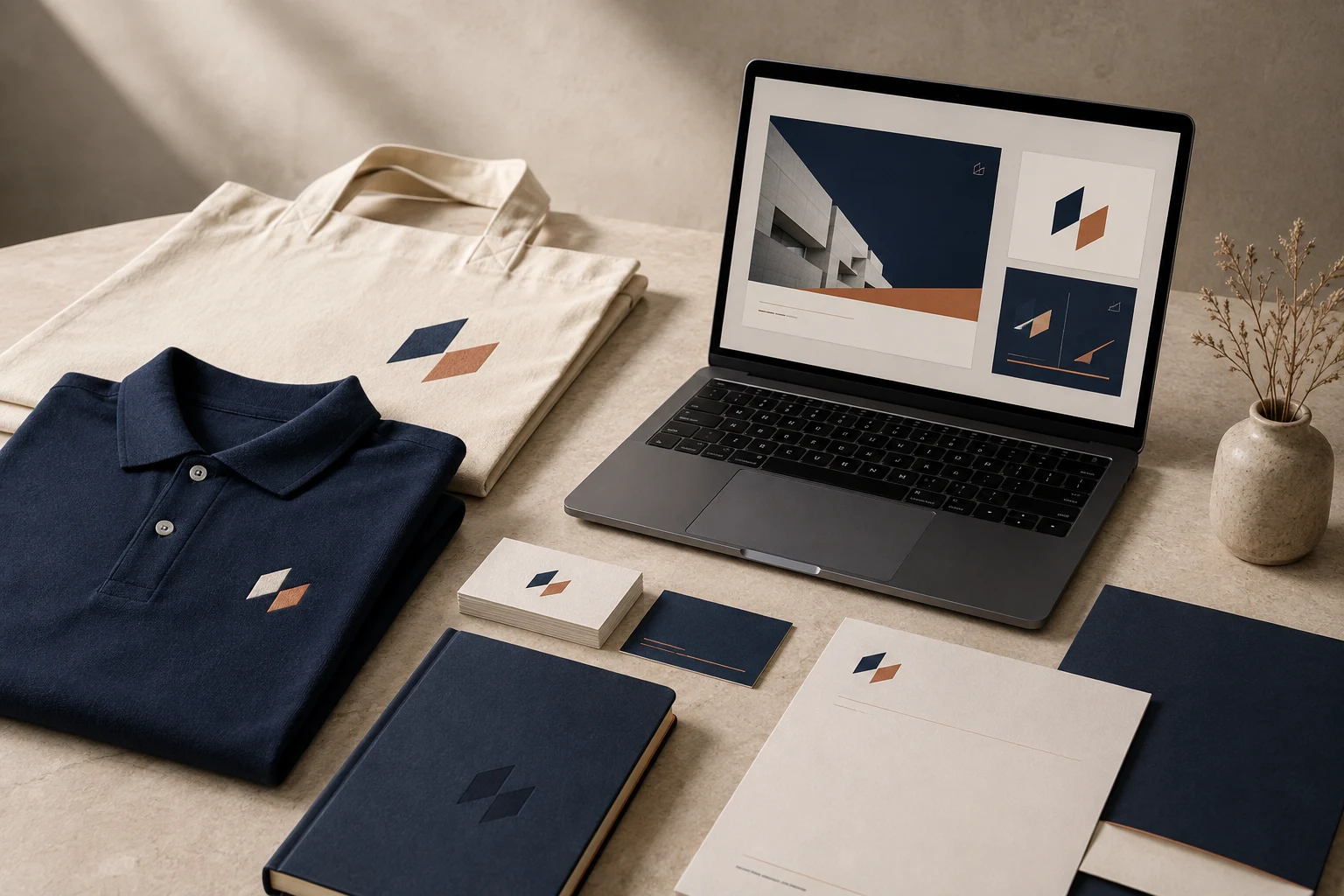
Cover image: AI-generated editorial concept; not a customer project or production proof.
A corporate branding kit is a coordinated collection of logo files, design rules, physical materials and digital templates that helps a business present a consistent identity. A useful premium kit combines clear artwork, well-chosen products and reusable assets that people can put to work across uniforms, print and online communications.
For buyers in the US, Canada and UK, the best starting point is a defined list of deliverables. Decide where the brand will appear, what each supplier needs and who will maintain the files before choosing a package.
What belongs in a corporate branding kit?
A kit can include design files, finished products or both. Ask suppliers to distinguish these clearly: a uniform mockup is different from a decorated garment, and a digital brochure design is different from a print order.
Kit component | What to request |
|---|---|
Brand guidelines | Approved logo versions, spacing rules, colors, typography and examples of correct use. |
Logo assets | Editable master artwork and exports suited to the intended print and digital applications. |
Embroidered uniforms | Garment specifications, agreed logo placement, production files and an approved stitched sample. |
Stationery | Business cards, letterhead and document templates with editable contact details. |
Physical promotional items | Useful products such as notebooks, bags or pens, with decoration specifications and proofs. |
Digital promotional assets | Social graphics, email templates, presentation slides, brochures and optional wallpapers or banners. |
Handoff documentation | File names, version dates, usage instructions and responsibility for future updates. |
Start with materials your team uses regularly. A smaller kit with complete, usable files can be more practical than a large collection of items with no clear purpose.
What makes a kit feel premium?
Premium quality comes from decisions that hold up in everyday use: readable logos, suitable materials, consistent layouts and careful finishing. Evaluate a notebook by its construction and usability, a uniform by its fit and sample decoration, and a presentation template by how easily staff can update it.
Consistency also needs instructions. Define which logo belongs on light or dark backgrounds, how much space surrounds it and when a simplified version is appropriate. Show these decisions in examples so suppliers and employees do not have to guess.
Reusable templates can reduce repeated design work, but kits still need maintenance. Allow for staff changes, replacement garments, updated campaign messages and revised contact information. Avoid treating branding as a one-time purchase or assuming that consistent visuals alone will increase sales, loyalty or employee morale.
Embroidered uniforms as part of the kit
Uniforms give your identity a visible role in face-to-face interactions. Choose garments around the work people do, the environment they work in and their comfort and sizing needs.
Before requesting embroidery, specify the garment, fabric, decoration location and finished logo dimensions. Include units explicitly when working across countries; provide inches and millimeters if that will help the production team.
Embroidery requires production data beyond ordinary logo artwork. Wilcom distinguishes editable embroidery design files from machine files containing stitch data. Keep the agreed machine format and any editable embroidery source deliverables clearly identified in the kit. See Wilcom’s explanation of embroidery files.
Ask the decorator to review small lettering and fine details before production. Request a stitched sample on the intended garment or a representative fabric, then inspect readability, placement, surface appearance and comfort. Agree any artwork simplification before approving the full order.
Do not assume embroidery always outlasts every printing method. Ask suppliers about the suitability and care requirements of the proposed decoration, and assess the actual sample against your intended use.
For the artwork preparation stage, review DigitEMB’s embroidery digitizing services. Confirm separately who supplies garments, performs decoration and delivers finished goods.
Stationery and physical promotional items
Coordinate stationery and merchandise with the same approved identity, while allowing each application to have its own layout. A pen and a presentation folder need different amounts of information.
Choose promotional products by likely use. For example, a notebook may suit meetings, while a bag may suit an event where attendees carry materials. These are planning options, rather than guaranteed ways to generate engagement.
Ask each producer for artwork requirements and a proof showing the actual decoration area. Review logo size, positioning, contact details and the proposed finish. If color matching matters, agree how the supplier will demonstrate and approve it before production.
For stationery, specify the final paper size. Include separate A4 and US Letter templates where teams use both, and review each layout rather than relying on automatic resizing.
Digital promotional assets that staff can reuse
Digital assets should cover recurring communications and be editable in software your team can access.
Social media graphics: Provide layouts for common announcements, with clear areas for images and short text. Confirm the destination platform’s current specifications before export.
Email templates: Include a consistent header, readable body layout, signature and clear action links. Test representative messages in the email applications your audience uses.
Presentations: Supply title, text, image and data slides with practical examples of how to populate them.
Digital brochures and catalogs: Keep source files available so product details and contact information can be updated.
Banners and wallpapers: Include them where there is an identified use, such as an event presentation or internal desktop background.
Build readability into the templates. W3C’s WCAG guidance specifies at least 4.5:1 contrast for ordinary text and 3:1 for large text, with defined exceptions, including logotypes. Apply the relevant text checks to template content rather than assuming the brand palette works in every combination. See W3C’s contrast guidance.
Prepare files for their intended use
Keep an editable master logo alongside application-specific exports. Vector graphics can scale without the pixelation associated with enlarging raster images; raster formats remain useful for photographs and many digital outputs. This is why a kit often needs both, as explained in Adobe’s raster and vector comparison.
Ask printers, decorators and digital designers which formats they need. Do not assume that one export is suitable for every process. Store embroidery files separately from print artwork, and label each with its intended size and application.
Include a brief file guide with the handoff: what each file is for, which version is approved and whom to contact for changes. Keep older versions in an archive so staff can find the current assets easily.
How to choose and budget for a kit
Begin with the business task. A customer-facing team may prioritize uniforms and printed materials; a remote sales team may need presentations, email templates and digital brochures first. Many businesses need a balanced selection of both.
Request an itemized proposal that separates design, artwork preparation, physical production and delivery. Ask what revisions, source files, proofs and samples are included. Compare proposals against the same quantities, materials and deliverables.
For US, Canadian and UK purchasing teams, state the quote currency, delivery destination, paper sizes, measurement units and preferred spelling. Ask suppliers to identify shipping and any applicable taxes or import charges separately so you can compare the total purchasing cost.
Set approval stages for the identity, digital templates and physical samples. Distinguish file delivery dates from finished-product arrival dates, and agree how changes after approval will be handled.
Assign one person to maintain the kit after delivery. Review it when the brand, contact details, product range or team needs change.
Frequently asked questions
Does a corporate branding kit include finished products?
Sometimes. It may contain design assets only, or it may include uniforms, stationery and merchandise. Require a written deliverables list showing quantities and whether each item is a file, proof, sample or finished product.
Can the same logo be used across uniforms, print and digital assets?
The core identity can remain consistent, but its production version may need adaptation. Approve any simplified logo, alternative layout or embroidery version and document where it should be used.
What should a small business order first?
Start with logo files, concise usage guidelines and the materials used most often. Add uniforms, stationery or campaign assets according to actual needs and budget.
How can buyers judge quality before a larger order?
Review editable template examples, confirm the deliverables and request relevant physical samples. For embroidered uniforms, approve a stitched sample before authorizing production.
Practical details for Premium Corporate Branding Kits: Uniforms, Print and Digital Assets
The best next step is to translate the topic in this article into a short, specific brief. That gives everyone involved the same reference before a file, proof or finished product is prepared.
Work through these points in order and keep the answers with the artwork or production request. A short written brief makes it easier to compare a proof with the intended result, ask a useful follow-up question and avoid relying on assumptions made from a screen image alone.
The aim is not to add unnecessary steps. It is to identify the choices that change the final result before work begins. If a requirement is unknown, flag it for confirmation rather than guessing; that keeps the approval process focused on the design, material and use that apply to this particular project. Save the approved brief with the project files for future reorders or revisions.
State the intended outcome
Describe where and how the finished item will be used, who it is for and the result that matters most. This helps separate a useful requirement from a visual preference.
Collect the source material
Provide the clearest artwork, references and text available. Mark anything that cannot change, such as a logo, spelling, colour or placement requirement.
Review the final details
Before approving work, check the real size, material, format and any production constraints. Confirm the details that affect how the design will look in use, not only on a screen.
Quick questions to check before you proceed
What should I prepare first?
Start with the artwork, its intended use, finished size and any requirements that cannot change.
Why is a proof important?
A proof is the shared reference for checking details before production. It is the best time to correct a size, spelling, colour or placement issue.
What makes a useful request?
A clear request explains the goal, provides the best available source material and identifies the details that need approval.