
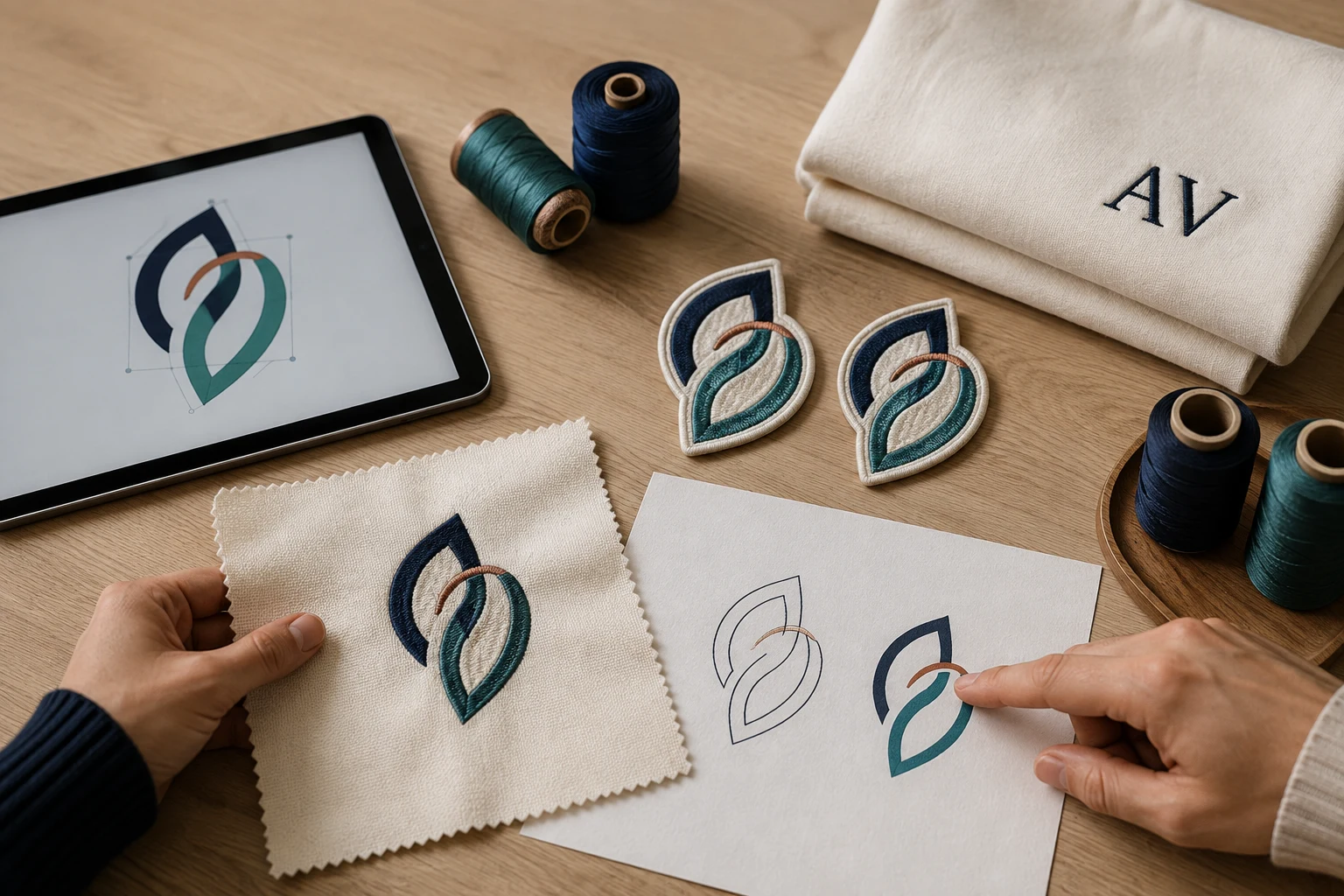
Cover image: AI-generated editorial concept; not a customer project or production proof.
Consultancy services for embroidery and custom artwork help turn a design idea into a clear production brief. A useful consultation identifies the intended product, reviews the artwork, recommends appropriate materials and file deliverables, and establishes how samples and revisions will be approved.
For apparel businesses, promotional product buyers and individuals in the US, Canada and UK, this planning can cover embroidery, vector conversion, custom patches, monogramming and design editing. Start by confirming whether the proposed work includes advice, digital files, physical products or a combination of these.
What should a consultation cover?
The scope should follow the project. A logo intended for shirts, patches and printed packaging needs several production decisions, while a monogrammed gift may need a focused discussion about lettering and placement.
Project area | Decisions to resolve |
|---|---|
Embroidery design | Finished dimensions, fabric, placement, stitch approach and machine format |
Vector artwork | Intended print or cutting process, required formats and artwork changes |
Custom patches | Shape, size, border, colors and attachment method |
Monogramming | Exact initials, letter order, type style, dimensions and position |
Design editing | Existing files, observed problems, requested changes and approval method |
Ask for the recommendations in writing, together with the deliverables and any decisions your production supplier must confirm.
Embroidery design: plan around the fabric and application
Bring the artwork and details of the actual garment or accessory to the discussion. Include the fabric composition, intended placement and finished design dimensions. Ask the digitizer which details should be simplified and whether different products require separate versions.
Stitch spacing, underlay and pull compensation work together with the fabric and design geometry. Pull compensation accounts for the way embroidery stitches draw fabric inward; suitable settings depend on the particular design and material. These are coordinated decisions, as explained in Wilcom’s guidance on underlay and pull compensation.
The consultation should address thread selection and the proposed use of satin, fill or running stitches without prescribing one universal setting. Request a test sew-out on representative material before approving a production run. Assess the lettering, outlines, coverage, placement and surrounding fabric.
For the digital production stage, review DigitEMB’s embroidery digitizing service and confirm the required machine format with the embroiderer.
Vector conversion: define the intended output
Vector artwork uses paths rather than a fixed grid of pixels, allowing vector shapes to scale without the pixelation associated with enlarging raster images. However, a document can contain both vector and raster elements, and its final output still needs checking. Adobe’s image essentials guide explains these distinctions.
Tell the designer whether the artwork will be printed, cut or used as a reference for embroidery. Ask the receiving supplier which formats and preparation requirements they accept before commissioning conversion.
A useful review should settle:
Which shapes, lettering and colors must be preserved.
Whether unclear details in the original need your approval before redrawing.
Which editable files and viewing proofs will be supplied.
Whether separate versions are needed for different applications.
Treat the vector artwork and embroidery file as separate deliverables. The embroidery workflow must also produce a stitch file in the machine’s supported format. Hatch’s export guidance distinguishes the editable working design from the exported machine file.
Custom patches and monogramming
For patches, establish the finished dimensions and shape before approving the artwork. Discuss the border, thread colors and attachment method together with the intended garment or bag. Ask the supplier to confirm whether the proposed backing suits the item’s material, care requirements and intended use.
If heat application is proposed, request the patch supplier’s application instructions and check them against the garment’s care guidance. Include a sample approval stage in the brief. DigitEMB’s custom patch service provides a relevant starting point for a patch inquiry.
For monogramming, provide the exact initials in their intended visual order. Approve the type style, letter sizes and placement on a proof rather than relying on a description such as “traditional monogram.” For multiple personalized items, supply an item-by-item list and have someone check spelling and order before production.
Design editing: explain the problem as well as the change
An editing request is easier to assess when it includes the existing file, the intended dimensions and photographs of any unsatisfactory sew-out. Identify the concern precisely: unreadable lettering, gaps, puckering, an incorrect color or placement that does not fit the item.
Ask whether the original editable design is available. Hatch explains that its EMB working file retains design information that exported stitch files do not, making it the preferred starting point for later edits. Read Hatch’s working-file guidance.
For color decisions, use a physical thread reference where possible and record the thread range and color number. Madeira advises that screen and printed representations may differ from actual thread colors and recommends a physical color card for precise matching. See Madeira’s color resources.
Prepare a brief and agree on approval stages
Supply the best available artwork, product details, quantity, dimensions and intended use. State measurements explicitly in inches or millimeters; for example, 3 inches equals 76.2 mm. For suppliers working across the US, Canada and UK, write dates in an unambiguous form such as “15 October” and specify the time zone for approval deadlines.
Before accepting a proposal, agree on:
The advice, files and physical samples included in the scope.
Who will create and evaluate the production sample.
The number and scope of revisions included.
Who can approve artwork changes and release production.
The quoted currency and whether physical shipping is included.
Separate dates for proofs, samples and finished products, where applicable.
Request a final handover that identifies the approved version, dimensions, color references and intended application. Keep that record for repeat orders and future changes.
Frequently asked questions
Do I need consultancy if my artwork is already finished?
It can still help when the production method, fabric, placement or deliverables remain undecided. If those details are already agreed with your supplier, a straightforward production order may be sufficient.
Does a consultation include digitizing or manufactured products?
Only if the proposal includes them. Ask for advice, artwork preparation, digitizing, sampling and manufacturing to be identified separately so you know what you are commissioning.
Can I approve embroidery from a screen preview?
Use the preview to approve the proposed appearance and layout. Request a physical sew-out to assess the result on representative material before committing to a production run.
What should I send for a first discussion?
Send your artwork, intended product, finished dimensions, placement, quantity and required date. Include existing production files and photographs if you need an edit or help with an unsuccessful sample.